Venturing into university life marks a significant milestone, blending academic pursuits with newfound independence. As highlighted in the accompanying video, equipping yourself with the right technology can transform your student experience, making daily tasks smoother and recreational time more enjoyable. This comprehensive guide builds upon The Tech Chap’s insights, delving deeper into essential gadgets and offering practical advice for making informed purchasing decisions, ensuring you have the best student tech to thrive.
Choosing the Perfect Student Laptop: Power, Portability, and Price
Selecting a laptop is often the most crucial tech decision for any student, as it serves as the central hub for academic work and digital leisure. Modern universities increasingly rely on digital resources for coursework submission, lecture notes, and research, making a reliable machine indispensable. The ideal choice balances performance, portability, and your budget effectively, considering various aspects of university life.
Budget-Friendly Laptops for Core Tasks
For students navigating a strict budget, cost-effective options provide ample functionality for essential academic and entertainment needs. Laptops like the HP Stream 11 or 14, often starting from just over £200, exemplify this category, making them excellent budget laptops for students. These devices are perfect for word processing, browsing research papers, streaming content, and managing social media without significant financial strain. While they may not boast premium specifications, their lightweight design makes them incredibly portable for campus life and daily commutes.
All-Rounder Laptops: Balancing Performance and Value
If your budget extends further, around £500, you can access more robust ‘all-rounder’ laptops that offer a significant upgrade in performance and features. Models such as the Acer Swift 3 or HP Pavilion 15 provide full Windows 10 functionality and enhanced specifications, including better processors and more RAM. These machines handle multitasking with greater ease, ensuring swift transitions between applications like academic software, video conferencing, and general web browsing. Their improved capabilities make them suitable for a broader range of student courses, excluding highly demanding design or gaming applications.
High-Performance Laptops for Demanding Courses
Students pursuing design, engineering, or media-rich courses often require a laptop with substantial processing power and dedicated graphics capabilities. The Dell XPS 15, equipped with a quad-core processor and a dedicated NVIDIA GTX 1050 graphics card, stands out as a top-tier choice for these intensive workloads. This level of hardware ensures smooth rendering, complex simulations, and efficient video editing, crucial for project-based learning and resource-intensive software. Furthermore, its premium design and high-resolution display enhance the overall user experience, although this comes with a higher price tag reflecting its advanced components and superior build quality.
Gaming Laptops: Study Hard, Play Harder
For avid gamers, sacrificing gaming on campus is not an option, but bringing a full desktop PC can be impractical. Gaming notebooks, such as the HP Omen 15, bridge this gap by offering powerful components in a portable form factor. These laptops feature high-refresh-rate displays, advanced graphics cards, and robust cooling systems, delivering an immersive gaming experience for popular titles like PlayerUnknown’s Battlegrounds. While their striking designs might catch attention in a lecture hall, their ability to transition seamlessly from essay writing to high-fidelity gaming makes them a compelling choice for balancing academic and recreational pursuits.
Tablets and 2-in-1 Devices: The Flexible Campus Companion
Beyond traditional laptops, tablets and hybrid 2-in-1 devices offer a versatile alternative, particularly appealing for their portability and interactive capabilities. These devices blend the best features of tablets and laptops, providing flexibility for various student activities including note-taking and creative work.
The Versatility of 2-in-1 Hybrids
Hybrid devices, exemplified by the Microsoft Surface Pro, offer the full functionality of Windows 10 within a lightweight, touchscreen tablet design. The 8 GB of RAM and 256 GB storage option provides excellent performance for both productivity and entertainment, offering great bang for your buck. When paired with a smart keyboard and a stylus, such as the Microsoft Pen, these devices transform into powerful tools ideal for digital art, detailed note-taking, and annotating PDFs directly on screen. This setup proves invaluable for students in creative or research-heavy fields, fostering a more interactive and efficient learning environment.
Tablets for Enhanced Note-Taking and Portability
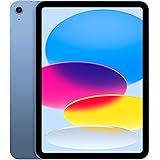
While a tablet might not entirely replace a laptop for all students, devices like the iPad or Samsung Galaxy Tab S3 excel as supplementary tools. Their significantly lighter weight compared to laptops makes them incredibly easy to carry across campus for an entire day of lectures without fatigue. When combined with a compatible stylus and a smart keyboard dock, these tablets become exceptional note-taking devices, offering a digital canvas for capturing thoughts, diagrams, and equations with precision. Moreover, their long battery life ensures they remain powered throughout busy academic schedules, making them perfect for on-the-go productivity.
Gaming Consoles: Entertainment and Social Connection
University life extends beyond academics, and fostering social connections through shared entertainment is a vital part of the student experience. Gaming consoles provide a fantastic avenue for relaxation and camaraderie within student accommodation, helping to build lasting friendships.
Console Gaming for Social Fun
Gaming consoles like the PlayStation 4, Xbox One, or Nintendo Switch serve as excellent entertainment hubs, facilitating memorable gaming sessions with housemates and friends. The PlayStation 4 offers an array of exclusive titles such as Uncharted 4 and Horizon Zero Dawn, while the Xbox One provides a strong alternative with its own unique game library and robust online community. Furthermore, the Nintendo Switch stands out for its unique portability and multiplayer capabilities, making games like Mario Kart or Zelda perfect for impromptu gaming breaks between lectures or during social gatherings. Engaging in split-screen gaming or online multiplayer can significantly enhance social bonds and provide a much-needed break from academic pressures.
Smartwatches and Fitness Trackers: Prioritizing Wellness on Campus
Maintaining health and fitness can be challenging amidst the demanding academic and social environment of university. Smartwatches and fitness trackers offer accessible tools to monitor well-being and encourage a balanced lifestyle, even when juggling lectures and social events.
Tracking Health for a Balanced Student Life
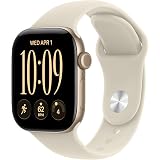
Investing in a fitness wearable, such as the Fitbit Alta or Fitbit Charge 2, priced from just over £100, makes it simpler to track physical activity and vital health metrics. These devices can monitor steps taken, calories burned, sleep patterns, and heart rate, providing valuable insights into daily habits and encouraging healthier choices. They serve as a constant reminder to stay active, especially important when balancing studies with social events. For a more comprehensive experience, smartwatches like the Apple Watch Series 2 offer advanced fitness tracking alongside a seamless integration with smartphone features, all within a waterproof design. The intuitive watchOS software further enhances usability, making it easier for students to manage their health goals and monitor their overall wellness.
Essential Gadgets and Accessories for University Success
While the exciting high-tech gadgets often grab the most attention, several practical, perhaps less glamorous, items are absolutely crucial for navigating university life successfully. These essential university gadgets contribute significantly to organization, safety, and academic continuity, making student life much smoother.
Protecting Your Gear: The Right Backpack
A high-quality backpack is not just for carrying books; it is a vital piece of gear for protecting your valuable electronics and academic materials. For approximately £50, options like the Targus Urban Commuter or Eastpak Austin offer robust construction and padded compartments designed to safeguard laptops and tablets from bumps and scratches. Selecting a backpack with ergonomic straps and multiple organizational pockets ensures comfort during daily commutes across campus and helps keep essential items easily accessible. A well-designed backpack significantly extends the lifespan of your tech investments by shielding them from daily wear and tear and unexpected weather.
The Convenience of a Personal Printer
Although university libraries provide printing services, owning a personal wireless printer offers unparalleled convenience and can save considerable time, especially during peak academic periods. A model like the Canon Pixma wireless printer, available for around £40, allows students to print essays, lecture slides, and research materials directly from their laptop or even smartphone within their own room. This eliminates the need to queue or rush to the library, particularly useful when facing tight deadlines. The ability to print wirelessly from multiple devices also adds a layer of flexibility to your workflow, making it a highly practical student essential.
The Non-Negotiable Necessity: Data Backup Solutions
Among all the essential student tech, reliable data backup stands as the single most critical investment. The risk of losing hours of academic work due to hardware failure, software glitches, or accidental deletion is a stark reality for many students, often leading to immense stress. Implementing a robust backup strategy prevents the immense frustration and potential academic setbacks associated with lost files. Cloud services like Dropbox or Google Docs offer automatic synchronization and version control, ensuring your documents are always accessible from any device and protected against local mishaps. Furthermore, investing in an external hard drive, such as the Western Digital My Passport, provides an additional layer of security for larger files and projects, acting as a physical safeguard. Regular backups, whether to the cloud or an external drive, are not merely a suggestion; they are an absolute necessity for every university student’s peace of mind and academic success.
Decoding Student Tech: Your Questions Answered
Why is having the right technology important for university students?
Having the right technology makes academic tasks like coursework submission and note-taking smoother, and also makes recreational time more enjoyable. It helps transform your overall student experience.
What should I consider when choosing a laptop for university?
When choosing a laptop, it’s most important to balance performance, portability, and your budget. Consider what tasks you’ll primarily use it for, from basic work to demanding courses or gaming.
Are tablets or 2-in-1 devices useful for students?
Yes, tablets and 2-in-1 devices are very useful for their portability and interactive capabilities, such as digital note-taking and annotating PDFs. They can be great supplementary tools, especially for creative or research-heavy fields.
How can university students protect their important academic files?
Students should always use reliable data backup solutions like cloud services (Dropbox, Google Docs) or an external hard drive. This is crucial to prevent losing hours of academic work due to tech issues.