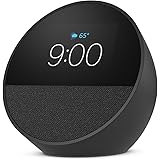
In recent years, the adoption of smart home technology has surged, with millions of households integrating voice assistants like Amazon Alexa into daily life. Despite the convenience offered by these devices, a growing number of reports highlight unusual and sometimes unsettling behavior, sparking widespread discussions about digital privacy and device security. As showcased in the video above, experiences ranging from inexplicable Alexa responses to unexpected webcam activations have prompted users to re-evaluate their relationship with connected devices.
Indeed, a significant volume of online discourse, including numerous social media posts and emails, indicates that mysterious interactions with smart devices are not isolated incidents. Many individuals have reported their Alexa devices seemingly activating without a clear prompt or offering peculiar answers to unasked questions. Such occurrences contribute to a collective concern regarding the autonomous nature of these technologies and their potential implications for personal privacy and security within the home environment.
Unusual Alexa Interactions and Smart Device Security
Observations concerning Alexa’s unsolicited responses frequently focus on specific timeframes, with a notable concentration of reports occurring between midnight and 3 AM. During these hours, devices have reportedly offered phrases such as “I couldn’t find that, please try again” or “I’m sorry, I can’t help you with that right now” when no verbal command was issued. These incidents, as highlighted by various user testimonials, suggest that devices might be misinterpreting ambient noises as wake words or encountering internal software glitches leading to erroneous activation.
Furthermore, some users have encountered even more perplexing situations, such as Alexa providing information about nearby morgues without any relevant query being posed. These unusual occurrences have been documented in several viral videos and shared across platforms, causing widespread concern among smart device owners. The nature of these responses often leads to speculation, with some attributing them to technical anomalies and others pondering more unsettling possibilities regarding device autonomy or external interference.
Addressing Common Concerns About Voice Assistants
The functionality of voice assistants, which continuously listen for wake words, has naturally raised questions about data collection and privacy. Concerns regarding potential surveillance, including historical speculation about government agencies monitoring conversations, persist among a segment of the user base. While companies like Amazon assert robust privacy measures, the very nature of always-listening devices means that user interactions and environmental sounds are continuously processed, fueling ongoing debates about digital privacy in the smart home ecosystem.
When an Alexa device appears to be acting autonomously, several factors could be considered as potential explanations. Software bugs, system updates, or even environmental acoustics might trigger false positives for wake words, leading to unintended responses. Moreover, intermittent network connectivity issues or conflicts with other smart home devices could contribute to unpredictable behavior. Understanding these technical possibilities is often crucial for users seeking to demystify strange interactions with their voice assistants.
Protecting Digital Privacy and Device Integrity
Beyond voice assistants, concerns about the security of personal computers and integrated webcams are also prevalent. Reports of webcam indicator lights activating without user interaction suggest potential unauthorized access or malware infections. Such incidents are particularly disturbing, as they imply that a device’s camera might be remotely controlled, thereby compromising an individual’s visual privacy within their own space. These events underscore the critical importance of cybersecurity hygiene for all connected devices.
For instance, one account detailed a computer’s webcam light activating repeatedly, even after attempts were made to shut down and wipe the system. This persistent activation, occurring without the user opening any camera applications, strongly indicates a potential security breach. In such cases, the possibility of remote access by an unknown entity becomes a serious consideration, prompting users to take immediate protective measures to safeguard their personal privacy.
Investigating and Mitigating Webcam Intrusions
Instances of unexpected webcam activity often point towards sophisticated forms of malware designed for surveillance purposes. Such malicious software can be installed through phishing attacks, compromised downloads, or by exploiting vulnerabilities in outdated operating systems and applications. Consequently, even after a system wipe, if the underlying malware or an obscure rootkit persists, unauthorized webcam access may continue, posing a significant challenge for less tech-savvy users.
To enhance device security and protect against potential intrusions, several proactive steps can be implemented. Firstly, regularly updating operating systems and all software applications is paramount, as updates often include crucial security patches. Secondly, the use of strong, unique passwords and multi-factor authentication for all online accounts can significantly reduce the risk of unauthorized access. Furthermore, installing reputable antivirus software and routinely scanning devices for malware are essential practices for maintaining digital hygiene.
When a webcam is not in use, a physical cover or a piece of tape can serve as an effective, low-tech solution to prevent visual surveillance, regardless of software vulnerabilities. For smart speakers, utilizing the mute button when not actively engaging with the device can mitigate concerns about unintended listening. Ultimately, being informed about potential threats and proactively implementing security measures are key to safeguarding personal privacy in an increasingly connected world.
For individuals experiencing persistent and unexplained device behavior, particularly after attempting basic troubleshooting, seeking professional technical assistance is highly recommended. Contacting the device manufacturer’s support (e.g., Apple for a Mac, Amazon for an Alexa device) can provide access to specialized knowledge and tools for diagnosing complex issues. This proactive approach helps in thoroughly investigating the root cause and implementing comprehensive solutions to restore device integrity and user peace of mind regarding Alexa privacy and smart device security.
Alexa’s Critical Alerts: Your Questions Answered
What kind of unusual things are people reporting with smart home devices like Alexa?
People are reporting Alexa devices activating without a command, giving strange answers to unasked questions, and responding at odd times like late at night.
Why might my Alexa or smart speaker act strangely?
Strange behavior can be caused by software bugs, system updates, or the device misinterpreting ambient sounds as wake words, leading to unintended responses.
Can my computer’s webcam also have privacy issues?
Yes, some users report webcam indicator lights turning on by themselves, which could suggest unauthorized access or a malware infection compromising visual privacy.
What simple steps can I take to protect my digital privacy with smart devices?
You can regularly update software, use strong passwords, install reputable antivirus software, and physically cover your webcam when not in use, or mute your smart speaker.
Who should I contact if my smart devices continue to act strangely after trying basic solutions?
If problems persist, it is recommended to seek professional technical assistance or contact the device manufacturer’s support for specialized help.